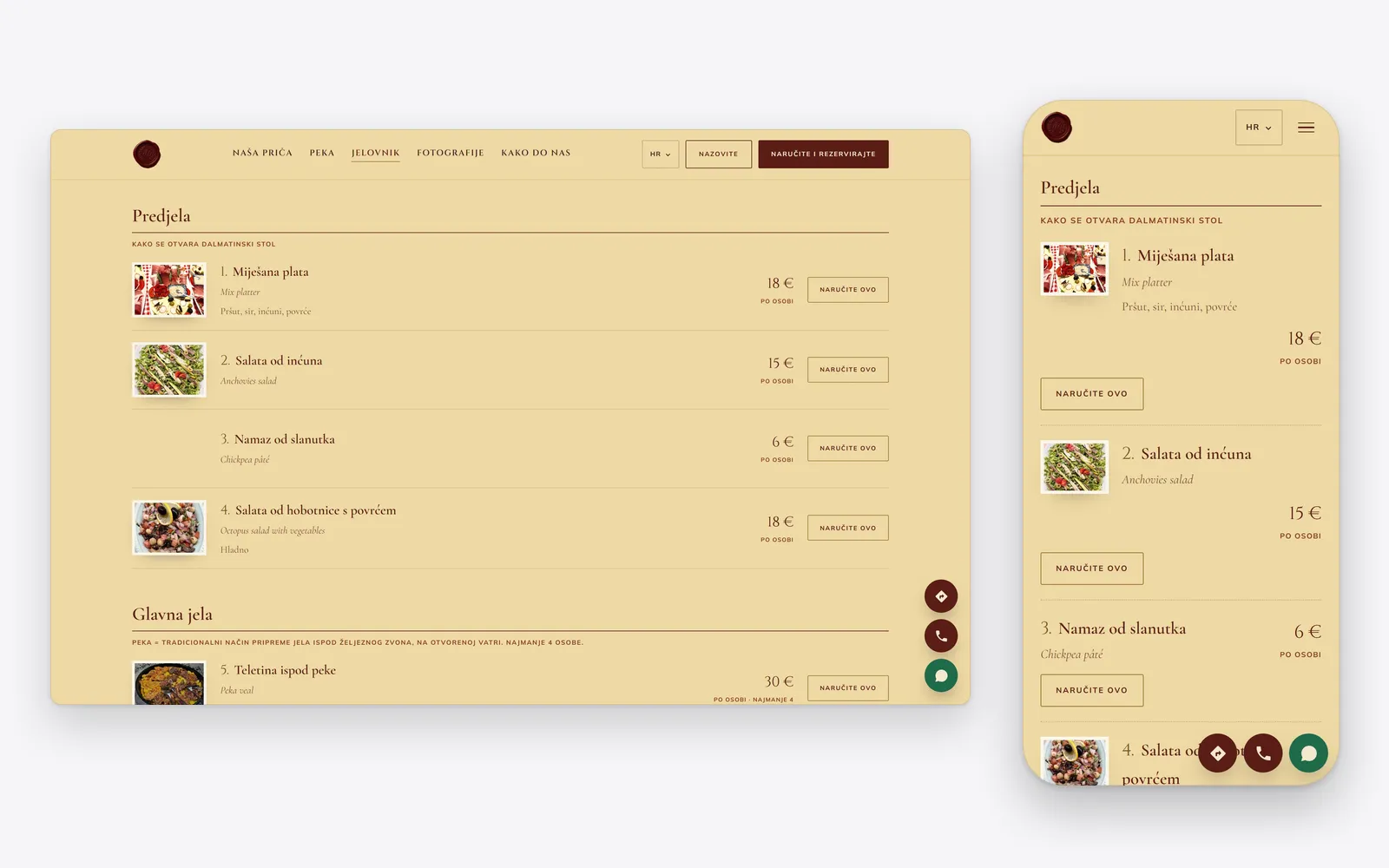
A digital menu on the phone.
A guest sits down, holds their phone to the card on the table and reads the menu in their own language, with allergens beside every dish. Here is how it works, and why it beats a PDF.
On a summer evening, one konoba can seat guests from Germany, Poland and Zagreb. A paper menu in several languages turns into a thick booklet, and the waiter explains what pašticada is and whether there are nuts in it. A digital menu doesn't replace the waiter, but it makes the job easier.
How the guest gets to the menu.
On the table there is a card or a sticker with a chip and a QR code. The guest holds their phone to it or scans the code, and the menu opens in the browser, with no app and no sign-in. They pick a language, scroll through the sections and see the dishes with their prices.
Nobody waits for the waiter to bring a menu, and the waiter doesn't carry booklets from table to table. When they come over, the guest already knows what they want, or what they want to ask. And a guest who arrived before the rest of their party can browse the menu in peace while they wait.
In the guest's language.
The menu has as many languages as your guests need. Dish names that aren't translated, like pašticada or soparnik, I leave as they are and add a short description of what is in the dish. That way the guest knows what they're ordering, and the dish keeps its name.
I prepare the translations. Before they go live, it helps to have someone who knows the language read them, because a dish name in translation should sound like food, not like a dictionary.
What can go on the menu.
The basics are sections, dishes, prices and allergens. Alongside them there can be a short description of a dish, a vegetarian mark, a wine that goes with it, or a note that fish is priced by the kilo. Everything on your paper menu today can be on the digital one, only easier to read.
Allergens beside every dish.
Every dish carries its allergen marks. A guest who can't eat gluten or nuts sees it at once, in their own language, and doesn't have to question the waiter about every item. For a guest with an allergy that is no small thing: a clear mark means they feel safe, and the waiter doesn't have to guess. I enter the allergens from the list you give me. The kitchen knows what is in a dish; my job is to make it clearly written.
A new price within 24 hours.
Prices change. There is fish or there isn't, the wine goes up, the season comes and goes. With a paper menu that means reprinting, or corrections in pen. With a digital one you send me a message with the new price or the dish that's gone, and within 24 hours it is on the menu. The price on the table and the price on the bill match, and that is one awkward question fewer.
If something changes every day, say a daily menu or the catch of the day, that is an extra function and we agree it separately.
Why not a PDF.
The easiest thing is to scan the paper menu and put a PDF behind a QR code. On the phone, the guest then gets a page made for paper:
- the type is small, so the guest pinches to zoom and drags the page left and right;
- the file downloads over mobile data, and in a konoba's stone courtyard the signal can be weak;
- every language is crammed into one document or spread over several files;
- every price change needs a new PDF, and copies guests saved still show the old price;
- the text of a scanned page is a picture, so the browser can't enlarge it as text, read it aloud or translate it.
A digital menu is a page made for the phone. The type is large enough, the page only scrolls down, and the content is real text the browser can enlarge, read aloud and translate.
You don't have to throw the paper away.
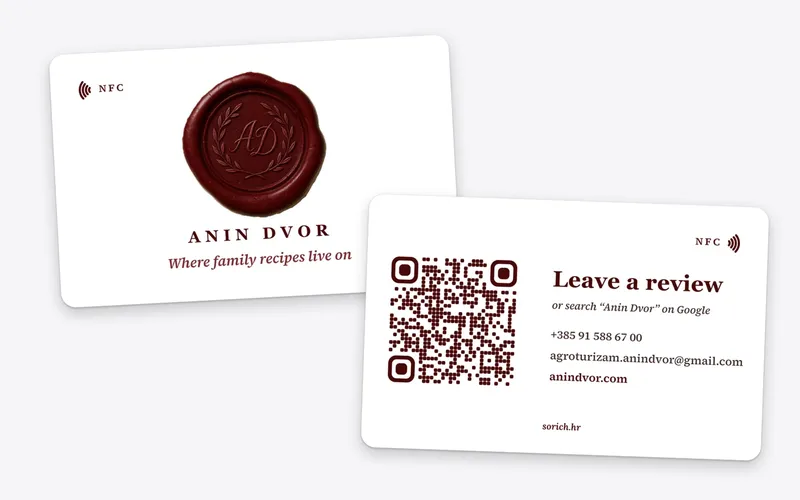
Some guests like a paper menu in their hands, and that's fine. The digital menu can sit alongside it. Next to the menu card you can also have a card for Google reviews, so the guest can leave an impression from the same table.
A digital menu isn't only for konobas. It is just as handy for apartments that serve breakfast or a bar on the beach: a menu doesn't have to be long to be useful.
What it costs.
Building the menu costs from €290 (25 Sep 2026: from €290), with the first year included. After that, the menu on the sorich.hr domain costs €5/month (25 Sep 2026: €5/month), and on your own domain €150 a year (25 Sep 2026: €150 a year). You add the NFC card or sticker for the table, with a chip and a QR code, to the same enquiry, and I send you one offer, with a discount for several add-ons together. Extra functions we agree separately, always priced before the work.
For every card and sticker you can also see how many times the menu was opened, as I explain in counting taps and scans.
What I can make of this for you.
A digital menu for your place starts with an enquiry: answer a few questions, add the card or sticker that opens it from the table, and I'll send you an offer.